Stripchat VR in 2026: How It Works, Costs, and Is It Worth It?
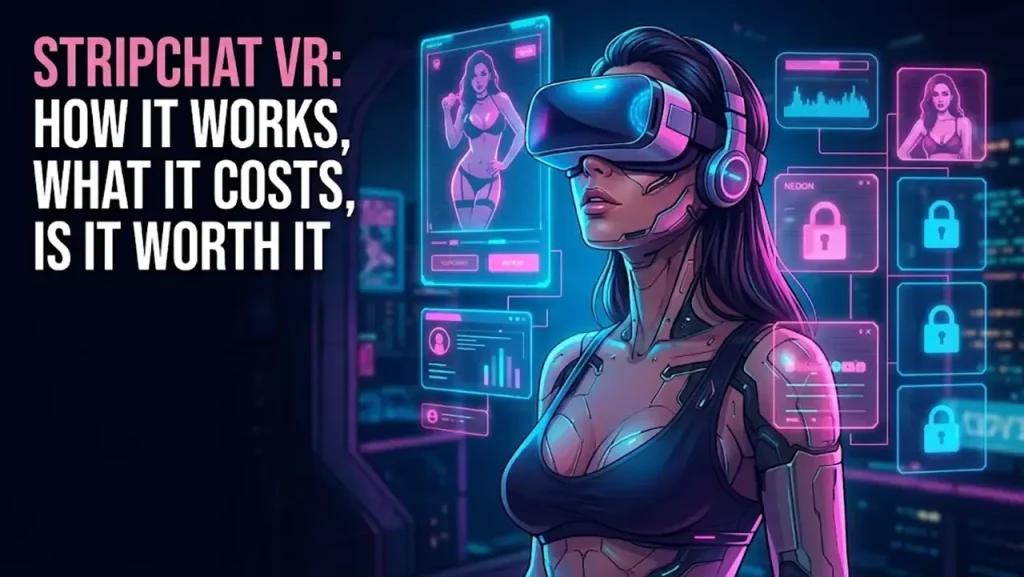
Stripchat VR is the question readers send us most about the site, and almost every answer online is an affiliate page padded with adjectives or a forum thread from three years ago. This is the version you can use with a headset on and one hand free.
We cover what the feature is, how to get it running on a Quest and on PC-VR, what it costs in tokens, what the stream looks like, what breaks, and how it stacks up against the other ways to watch live cams in a headset. Where we couldn’t confirm something on a public page, we say so instead of guessing.
Before you spend a token, read our full Stripchat review: token value, model quality and the three real negatives of the site.
How Stripchat VR works: a browser tab, not an app
Stripchat never built a VR app. It built a VR mode into the website. The company’s own announcement of the feature, back in January 2022, describes it as accessible via web browser, with no third-party download, and native in the Quest browser. Nothing has changed since: you open the site in a headset browser and press Enter VR.
Under the hood it runs on WebXR, the browser standard for VR content. That one decision explains almost everything else, good and bad.
Good: nothing gets installed, nothing shows up in your app library, and no app store decides what you can jerk off to. Bad: you’re watching a live stream inside a browser tab, so you inherit its limits. The session drops when the headset sleeps, and picture quality lives and dies on your Wi-Fi.
What the models actually use
A VR room is a regular room where the model has a stereoscopic camera pointed at her. She streams two slightly offset images, Stripchat encodes the feed, and your headset turns the pair into depth. On a flat monitor you see two fisheye halves side by side, which is the easiest way to spot a real VR room without a headset on.
Which headsets work
The rule is simpler than any list: if your headset ships a browser that supports WebXR, Stripchat VR should run in it.
- Quest 2, Quest 3 and Quest 3S through the Meta Quest Browser. The path of least resistance.
- Pico headsets through their own browser.
- Apple Vision Pro through Safari, since Apple switched on WebXR support.
- PC-VR headsets (Valve Index, HTC Vive, Rift) through desktop Chrome or Edge with SteamVR or the Oculus runtime running.
- PlayStation VR2: no. The PS5 doesn’t ship a web browser you can type an address into, so there’s nowhere to load a WebXR site.
Stripchat VR setup in 5 steps (Meta Quest)
This is the route we recommend for Quest 2, Quest 3 and Quest 3S. Under five minutes the first time, under a minute every time after.
- Open the Meta Quest Browser. It’s pre-installed. Don’t use a third-party browser unless you know it supports WebXR.
- Go to stripchat.com and pass the age gate. Log in if you have an account. Logging in matters: tipping and privates need a funded balance, and you do not want to type a card number with Quest controllers.
- Filter for VR rooms. Use the VR filter in the category menu. Rooms streaming in VR carry a VR badge on the thumbnail.
- Open a room and press Enter VR. The browser asks permission to enter immersive mode the first time. Accept: the flat page disappears and the stream wraps around you.
- Use the in-headset controls. Chat, tip menu and the private button sit inside the VR view. Press the Meta button on the controller to get out.
PC-VR in three lines
Same steps, but the browser lives on the PC. Start SteamVR first (or the Oculus desktop app for Rift and Link), open Chrome or Edge, load the VR rooms, pick one and press Enter VR; the browser hands the stream to the headset.
If Enter VR does nothing, the browser isn’t seeing the headset. That almost always means the VR runtime wasn’t running before you opened the browser.
What Stripchat VR costs in tokens
No VR surcharge, no VR membership. VR rooms use the same token balance as every other room on the site, and the Ultimate membership is not required to enter VR.
What changes is the per-minute rate for private shows, which every model sets herself. VR models tend to price higher than the site average, because the camera costs money and the audience is smaller. Whatever she charges is written next to the private button before you commit.
Token packs, US prices, read on the checkout page in October 2026 (the site also runs one-time discounts on your first buy, and bigger packs sit behind “show more”):
| Pack | Price | For VR |
|---|---|---|
| Entering VR mode | Free | Public rooms, no spend |
| 45 tokens | $4.99 | Smallest pack, worst value |
| 90 tokens | $9.99 | Tips yes, VR private no |
| 200 tokens | $20.99 | A short VR private |
| 540 tokens | $49.99 | Per-token price improves; bundled with an Ultimate offer |
| 765 tokens | $69.99 | A full evening; Ultimate offer bundled; bigger packs go lower still |
- Private shows: the model sets the rate per minute, and it’s shown before you start. Standard rooms mostly sit around 8 to 12 tokens a minute; VR rooms often ask more.
- Ultimate membership: the comfort tier (invisible browsing, unlimited messages, not shows). On the checkout page in October 2026 the 540 and 765 packs come bundled with an Ultimate offer. Not required for VR.
Rule of thumb: buy the 540-token pack or larger if you plan a VR private. The small packs cost noticeably more per token, which our review lists as one of the site’s three real negatives.
What the Stripchat VR stream actually looks like
Stripchat’s advertised VR spec is 4K at 60fps. That’s the ceiling, not a promise about any given room. What you see depends on her camera and upload bandwidth, your download speed, and whether the browser is dropping quality to avoid stutter. Well-equipped rooms look clearly sharper than a flat 1080p stream and the depth effect holds at arm’s length. Rooms on cheap cameras look soft and slightly cross-eyed at the edges.
Private shows and cam2cam in VR
Privates work in VR rooms like everywhere else on Stripchat: press the private button, read the per-minute rate, she accepts, and the stream stays in VR for the whole show.
Cam2cam is the one thing VR doesn’t improve. It means sending your own webcam to her, and a headset has no camera you can share. If two-way video matters to you, run the private from a PC with a webcam, in 2D or through PC-VR.
Stripchat VR problems and fixes
The failure points that come up most, with the fix that solves each one in most cases.
- Enter VR button missing or greyed out. Cause: a browser without WebXR, or the page loaded on PC before the VR runtime started. Fix: use the Meta Quest Browser on Quest; on PC start SteamVR or the Oculus app first, then reload in Chrome or Edge.
- Age gate keeps reappearing. Cause: cookies cleared or private browsing. Fix: use a normal tab, log in, and let the browser keep site data.
- Stream buffers or drops to low quality. Cause: Wi-Fi bandwidth; 4K stereo video needs far more than a flat stream. Fix: 5GHz band, closer to the router, close other tabs, or pick a room with fewer viewers.
- Video looks doubled or flat. Cause: you’re watching the side-by-side feed in 2D. Fix: press Enter VR; if the button is absent, see the first point.
- Headset goes to sleep and kills the session. Cause: proximity sensor idle timeout. Fix: raise the sleep timer in the Quest settings. A paid private keeps billing until you or the model end it, so check the balance after any drop.
- Battery dies mid-show. Cause: browser video plus Wi-Fi is one of the heavier loads on a standalone headset. Fix: plug in before a long private, or use a battery head strap.
- Hard to type or tip with controllers. Cause: the virtual keyboard in immersive mode. Fix: buy tokens on a phone or PC first; use the tip menu buttons rather than typed amounts.
Stripchat VR vs the alternatives
Live VR cams are still a small field. The honest comparison is between Stripchat’s browser approach, the app-and-subscription approach of the VR video platforms, and the sites that show the same rooms under another logo.
The pattern is clear. For the cheapest possible test of live VR, Stripchat wins because you spend nothing to look. If you’d rather watch recorded VR scenes than live rooms, the VR porn sites we rate are a different product entirely.
Is Stripchat VR worth it?
Three cases, three straight answers.
- You already own a Quest or a Pico: yes, try it tonight. It costs nothing and the good rooms are a different experience from a flat stream.
- You own a PC-VR headset: yes, with the caveat that you’ll spend the first session fighting the Enter VR button.
- You don’t own a headset and wonder whether this justifies buying one: no. The VR pool is a slice of the site, the best VR models charge premium rates, and the whole thing is still a browser tab over Wi-Fi. Buy a headset for games or VR video and treat Stripchat VR as a free bonus.
Frequently Asked Questions
Does Stripchat VR need an app?
No. It’s browser-based, with no download. Open stripchat.com in a headset browser that supports WebXR and press Enter VR.
Does Stripchat VR work on Quest 3 and Quest 3S?
Yes, through the Meta Quest Browser. Same steps as Quest 2: open the browser, go to stripchat.com, filter VR rooms, press Enter VR.
Can I watch Stripchat VR on PSVR2?
Not in any supported way. The PS5 doesn’t ship a web browser you can type an address into, and Stripchat VR is a browser feature, so there’s nowhere to load it. Use a Quest, a Pico or a PC-VR headset.
Do tokens cost more in VR?
No. There’s one token balance for the whole site and no VR fee. What can cost more is the per-minute rate an individual VR model sets, and it’s displayed before you start the show.
Is Stripchat VR free?
Watching public VR rooms is free once you’ve passed the age gate, exactly like public 2D rooms. Tips, private shows and spy mode use tokens.
Is xHamsterLive VR the same as Stripchat VR?
Same browser method, same token model, same rooms. If you already have tokens on one, there’s no reason to switch to the other for VR.
The Verdict
Stripchat VR is the most accessible live VR cam feature around because it asks nothing of you: no app, no subscription, no extra currency, just a headset browser and the tokens you’d spend anyway. The stream spec is high, the Quest setup takes minutes, and the good rooms deliver on the depth.
The limits are just as real: a small VR pool, premium private rates, and the fragility of a browser tab on Wi-Fi. If you have a headset, it’s a free upgrade to a site we already rate highly. If you don’t, keep your money.
Before you spend anything, read our full Stripchat review: token value, model quality and how Stripchat stacks up against the rest. Or browse every platform we rate on our best live sex cam sites page.
More from the Blog